Are you interested in IBM DOORS Next (requirements management) and/or IBM ETM (test management) and would like to try these tools quickly and easily?
We show you the best way to get started and gain first hands-on experience with these powerful tools in no time. In just a few steps, we guide you to a fully functional evaluation environment.

The world around DOORS Next and ETM
DOORS Next is the most popular tool from the IBM ELM (Engineering Lifecycle Management) tool suite and takes care of requirements management. DOORS Next is also known as DOORS Next Generation or just DNG. You can install and use DOORS Next on its own or combine it with other tools from the ELM tool suite to create a comprehensive ALM that addresses more engineering disciplines.
For example ETM (Engineering Test Management), which is also central tool within the IBM ELM (Engineering Lifecycle Management) tool suite that focuses on test management across the entire development lifecycle. ETM is used to define test plans, create and manage test cases, and execute manual as well as automated tests. It provides full traceability between requirements, test cases, and test results, ensuring transparency and quality at every stage. Like DOORS Next, you can use it as a stand-alone solution or combine it with oder ELM tools.
In addition to DNG and ETM, there are other ELM tools for other exciting engineering domains. EWM (Engineering Workflow Management) for handling work items like task’s, defects, epics, stories and so on. It is also possible to connect your UML and SysML models via the Rhapsody Model Manager. If you have to deal with variants and versions, there is no way around GC (Global Configuration Management). You can also integrate your source code to IBM ELM via GIT.
But all this is optional! You can also install all these tools later and only connect them to your DOORS Next or ETM when you need them. Very flexible, isn’t it? So just keep in mind that DOORS Next and ETM are just two solutions within the IBM ELM universe. There are many more exciting tools to discover there.
DOORS Next and ETM and almost the entire ELM Platform is provided as a web service. So the good news is that users only need a standard web browser for interacting with these tools. However, the web service must be hosted somewhere. This can be done on your own hardware or virtual machine. Or, since it is a web service, anywhere else within the Internet.
Which way is best for an evaluation?
That depends on your needs. Of course, SaaS (Software as a Service) is the quickest way. We simply give you free access to the ELM Platform and you can start right away. Or do you prefer to have the system and data under your control? Then install it at your favorite location. It’s up to you. Still unsure? Find out more details about the options.

You don’t need to take care of anything and will receive the access and credentials for a fully set-up IBM ELM environment from us. A complete and up-to-date IBM ELM environment running on our high-performance hardware is already waiting for you. We install these environments fully automatically via Ansible. This is exactly how we set up our customers’ high performance productive environments.
Interested? Write to us and get your own project for a trial run.
You want to evaluate with real project data right away? But this sensitive data must not leave your company? No problem, we will install an ELM environment that fits to your needs. Fully automated in just a few minutes. Just tell us the location you want for your ELM environment and we’ll install it. Our installations are realized as a distributed installation based on many years of our practical experience – performant, secure and as lightweight as possible. On top you get our ELM dashboard and control center, which you can use for IT and license monitoring as well as for starting, stopping and updating the ELM toolchain.
Your are not afraid of installation instructions and a few IT tasks? Of course, you can also install IBM ELM yourself. For example, everything on a single Windows machine, with a basic Derby database. Keep in mind, however, that this is not an installation that you should use for productive purposes. The Derby database does not scale with the amount of data. It will become very slow at some point. Generally, the installation will be a bit slowly, because all services run on a single JVM. However, some of our developers also have local ELM installations on their notebooks in order to be independent of the network / Internet – so for a single user and evaluation use, it’s fine.
Attention: Bear in mind that the this installation is not to be used for productive use.
Also note, that standby of the host computer must be avoided while IBM ELM is running.
ETM and DOORS Next are amazing tools with a wide set of useful functions that help you to master the challenges of requirements management and test management. However, as with any tool, you first need to know what all the levers and buttons do. In addition, a good methodology is always required, which the requirements management and test management tool naturally has to support in every aspect. At the end only the combination of tool and method will make you really successful. It can be very time-consuming to fight your way to this holy grail by yourself.
Those who want to save time should therefore get support from someone who has gone this way with many users before.
We’ll show you how easy it is.

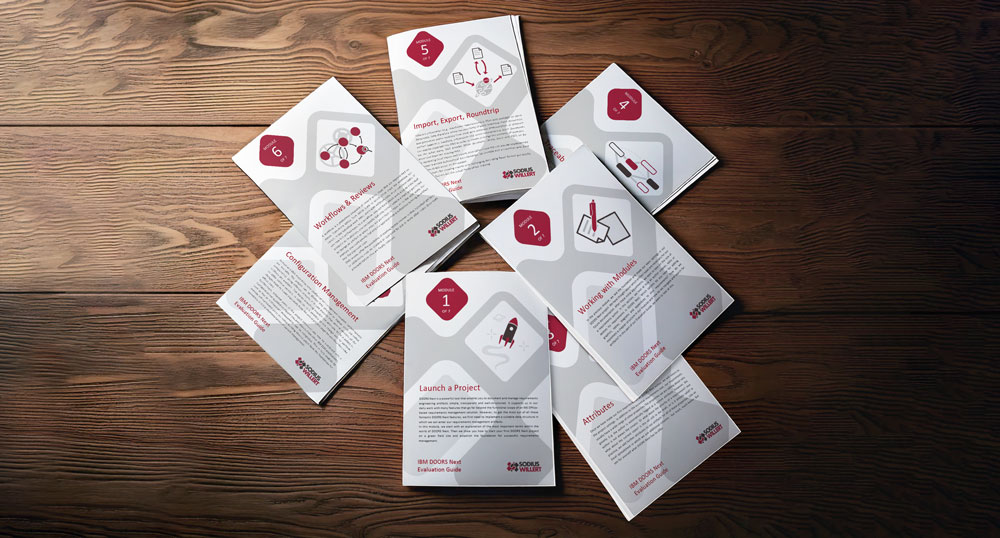
Our trainers have created two Evaluation Guides that explain the full functionality of IBM DOORS Next and IBM ETM. These guides enable you to gain a comprehensive and independent overview of the tools and their capabilities.
The DOORS Next Guide explains how to set up a DOORS Next project on a greenfield site. You will learn which basic settings are required and how to work efficiently from the start. It shows how to establish a solid foundation for traceability analysis, as well as how to import, export, and round-trip existing data. In addition, the guide demonstrates how to implement and optimize your processes within DOORS Next and how Configuration Management supports the handling of variants and versions.
The ETM Quick Start Guide provides an introduction to test management with IBM Engineering Test Management. It explains key ETM concepts, the relationships between test artifacts, and how ETM integrates into the ELM landscape alongside DOORS Next and EWM. The guide walks through the setup of a new ETM project and illustrates how test planning, coverage synchronization, and hierarchical test plans support structured testing. It also introduces the core test artifacts and shows how they work together to enable consistent, transparent, and traceable test execution.
You have limited time and want to make your evaluation as efficient as possible? Or do you have specific use cases and in-depth questions? In these situations, working with one of our experienced trainers can be a very effective approach.
You can book a IBM DOORS Next or IBM ETM training course with us and get introduced to the respective tool by an experienced trainer over two days. Each training combines practical exercises with proven best-practice approaches to help you get started quickly and confidently.
Our training courses are available both on site and online. Depending on your requirements, a customized training or workshop tailored to your specific use cases can also be a very effective solution.
You don’t need to worry about a license for the evaluation. If you evaluate on our systems, we will automatically provide you with a license. If you install IBM ELM in your own environment, you can activate a built-in 60-day license key. If you want to evaluate for longer, we will provide you with a license key.
However, perhaps you would like to know which license models are available and what pricing looks like in advance?
Just take a look at the following page for more information